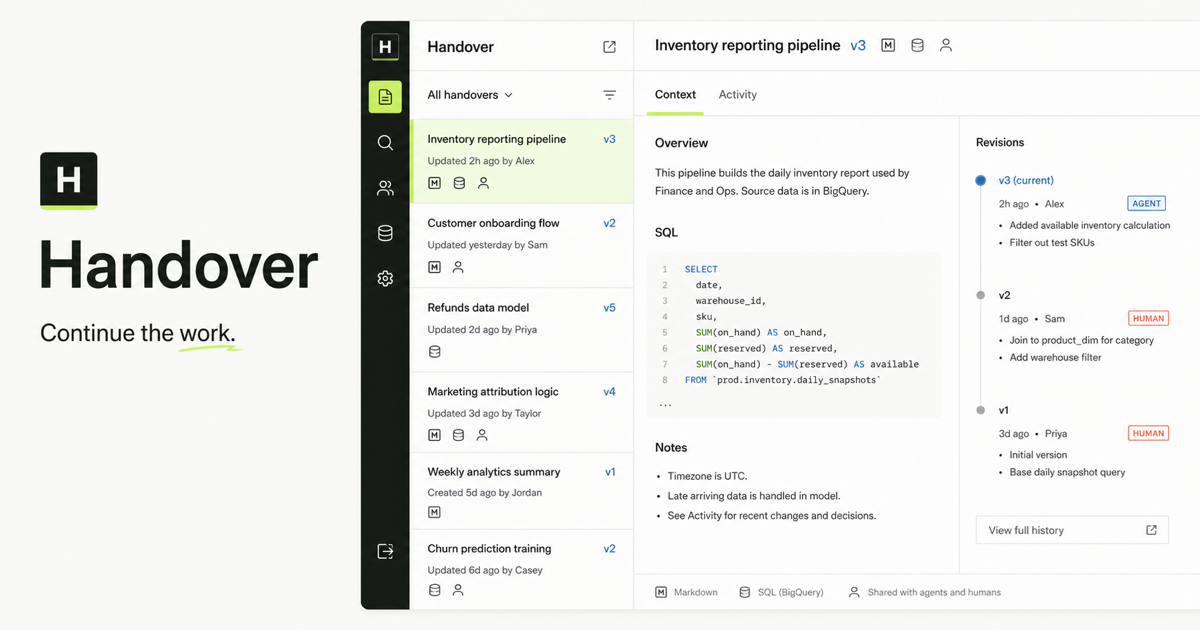
What maps from a report library into Handover?
Preserve the meaning of the old library without reproducing its storage limitations. A Reporter product or top-level business area becomes a Space. A folder remains an organizational view inside that Space, not an access-control boundary. A report becomes one stable handover whose revisions preserve the files, authorship, evidence, and continuation history.
Reporter or static library      Handover
Product / business area        Space
Folder / collection            Folder inside a Space
Report directory               Stable handover
index.html / deck.html         Entry artifact
Markdown, SQL, JSON, images    Immutable artifacts
Republished folder             New handover revision
Public report URL              Stable /r/{slug} publication
MCP deploy_context             Compatible publish or canonical create
What should be inventoried before migration?
Capture the source structure and access intent before transforming it. The inventory should be machine-readable and include every report slug, entry file, nested asset, owner, last update, audience, public URL, product, folder membership, and publishing client. Record broken links and missing owners as migration exceptions instead of silently repairing them.
- Products, business areas, and product-level files.
- Folders, folder membership, and any folder-specific audience rules.
- Reports, revisions, owners, timestamps, summaries, and tags.
- HTML entry points and every relative CSS, JavaScript, image, or data dependency.
- Public and restricted URLs referenced by Slack, documentation, or customers.
- MCP clients, service agents, local scripts, and scheduled publishers.
- Backlog items, unresolved review, and reports with no active owner.
How should products, folders, and permissions be separated?
Use Spaces for durable company segments such as products, departments, clients, or initiatives. Use folders for navigation and thematic collections within a Space. Translate old allow-lists into Handover visibility and principal grants; do not treat folder membership as authorization. Create restricted Spaces and service identities before importing restricted material.
How do you preserve HTML reports and slide decks?
Import the complete directory without flattening paths or rewriting binary files. Declare the intended entry file, preserve nested relative assets, and compare content hashes before and after transfer. Render representative desktop and mobile reports in an isolated artifact viewer, test in-report navigation, and retain every non-entry file in the artifact navigator so people and agents can inspect the full work package.
report/
  index.html          # declared entry artifact
  deck.html
  README.md
  analysis.sql
  data/evidence.json
  assets/chart.png
  scripts/slides.js

handover publish ./report   --title "Retention review"   --slug retention-review   --entry index.html
What is the safest cutover sequence?
Use a reversible dual-run. Inventory and map first, import in batches, verify the copied material, then let a small group publish and pull through Handover while Reporter remains available. Change the default destination only after the acceptance gate passes. Preserve the source read-only for a defined rollback window instead of deleting it during cutover.
- Freeze mapping rules, not source publishing.
- Import one representative Space with mixed file types and access levels.
- Verify counts, hashes, URLs, rendering, ownership, and search.
- Run human sign-in and agent publish-pull tests with separate identities.
- Compare new revisions created during the dual-run window.
- Switch MCP and automation defaults as a separate, reversible change.
- Archive the source only after the rollback window and link audit close.
What must pass before the old library becomes read-only?
The gate should prove both preservation and continuation. Counts alone are insufficient. Every sampled work package must render, download, search, preserve authorship, enforce its intended visibility, and be retrievable by an authorized successor agent. Public links need a redirect or an explicitly communicated replacement.
- Inventory totals reconcile or every exception is signed off.
- Artifact hashes and nested paths match the source.
- HTML, Markdown, SQL, JSON, image, and binary samples render or download correctly.
- Restricted, company, and public access tests behave as declared.
- A human can annotate a migrated artifact and an agent can retrieve the thread.
- An agent can publish, another identity can pull, and a new revision can continue the work.
- Rollback restores the previous publishing destination without data loss.
How should migration history remain auditable?
Keep the source system identifier, original slug, source revision, imported timestamp, importer identity, and file hashes as provenance. Migration should create attributable Handover revisions rather than pretending imported work originated in Handover. Record mapping exceptions, redirects, and final cutover approval in a dedicated migration handover.
Primary references