What does Gemini CLI MCP server setup require?
Gemini CLI supports STDIO, SSE, and Streamable HTTP MCP transports. A hosted shared-context server should use the HTTP transport, the exact HTTPS endpoint, a user- or project-scoped configuration, and an authenticated principal with minimal grants. Gemini's official documentation separates configuration, connection status, tool discovery, OAuth, and tool execution; a durable context test should also require exact read-back and a second authenticated actor.
- Current CLI command: `gemini mcp add --transport http`.
- User configuration: `~/.gemini/settings.json`; project configuration: `.gemini/settings.json`.
- Handover endpoint: `https://handover.sh/api/mcp?profile=core`.
- Authentication today: one named, scoped Handover service agent per Gemini CLI installation.
- Verification: identity, tenant, protected read, approved write, exact read-back, and successor continuation.
How do you add Handover to Gemini CLI?
Create a named Handover service agent, place its credential in a temporary shell variable without printing it, and add the remote server at user scope. The shell expands the value for the CLI while history keeps only the variable reference. Gemini CLI writes the header into the local user settings file, so restrict that file to your user account and revoke the remote credential when the installation is retired.
read -s HANDOVER_TOKEN
export HANDOVER_TOKEN

gemini mcp add   --transport http   --scope user   --header "Authorization: Bearer ${HANDOVER_TOKEN}"   handover   "https://handover.sh/api/mcp?profile=core"

unset HANDOVER_TOKEN
chmod 600 ~/.gemini/settings.json
gemini mcp list
What configuration does Gemini CLI save?
The current Gemini CLI writes a user-scoped remote server with `type: http`, the Handover URL, and the supplied Authorization header. Treat `~/.gemini/settings.json` as a local credential file: do not commit it, attach it to a handoff, paste it into chat, or share one copy across people and agents.
{
  "mcpServers": {
    "handover": {
      "url": "https://handover.sh/api/mcp?profile=core",
      "type": "http",
      "headers": {
        "Authorization": "Bearer <SERVICE_AGENT_TOKEN>"
      }
    }
  }
}
Does Gemini CLI use OAuth for remote MCP servers?
Yes. Gemini CLI supports automatic OAuth discovery, dynamic client registration, browser authorization, token storage, and refresh for remote HTTP and SSE servers. Handover now provides the complete first-party flow with PKCE and rotating refresh tokens, so interactive Gemini users can authorize in the browser. Use a named service agent only for unattended automation.
How do you verify Handover in Gemini CLI?
Run `gemini mcp list` or `/mcp` to inspect the server, then test the authenticated boundary from the agent. Call `handover.whoami` and require the expected service principal, company, workspace, role, and scopes. Search for a known marker, open its current revision, and read one source artifact exactly. Only after those checks should the user approve a disposable private write and require canonical read-back.
1. gemini mcp list
2. handover.whoami
3. handover.search
4. handover.get
5. handover.read_artifact
6. Ask before the first write
7. handover.create
8. handover.get
9. handover.read_artifact

PASS = expected identity + expected tenant + exact read-back
FAIL = Connected or tools visible without those checks
Why does Gemini CLI show the MCP server as disconnected or disabled?
Gemini CLI can suppress user-level MCP servers while the current folder is untrusted, and its startup errors may be quiet until you run `/mcp`, `/mcp list`, or `gemini mcp list`. A disabled entry is different from a failed network connection. Inspect the explicit status first, trust only a repository you have reviewed, reload discovery after configuration changes, and then classify HTTP, authentication, scope, and continuity failures separately.
Disabled in untrusted folder -> review the repository before trusting it
Disconnected or timeout       -> verify URL, network, and transport
401 Unauthorized              -> rotate or replace the local service credential
403 Forbidden                 -> inspect whoami, workspace grants, role, and scopes
Connected, tools missing      -> run /mcp reload and inspect include/exclude rules
Empty search                  -> verify tenant and use a known unique marker
Stale revision                -> read current state before an approved retry
How do you prove context continuity with Gemini CLI?
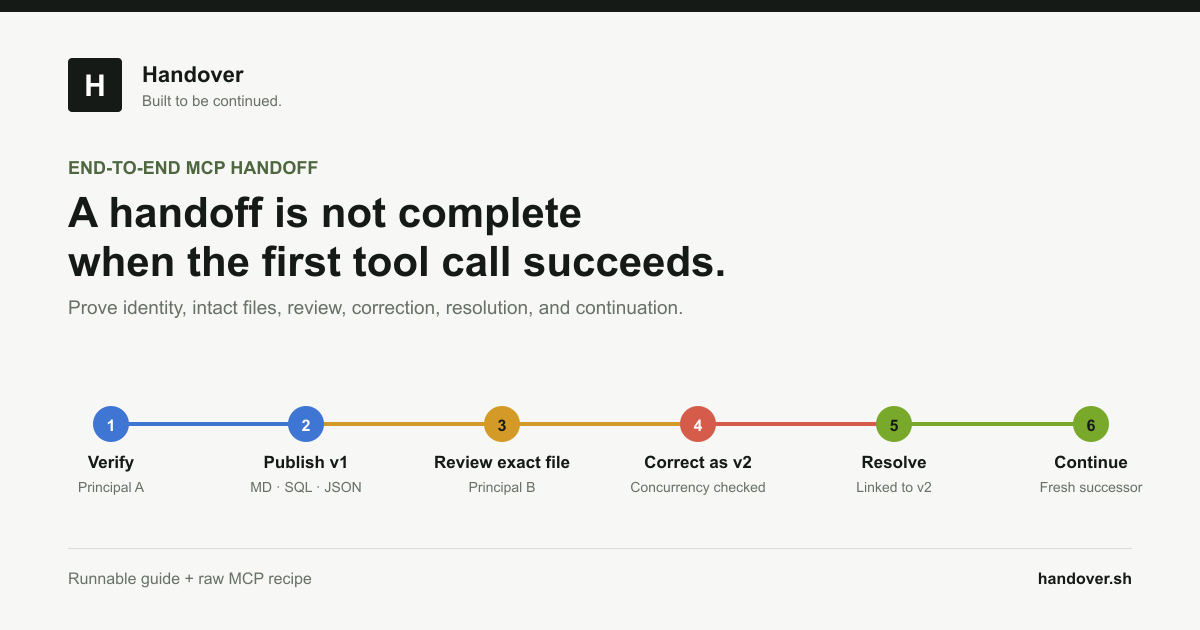
Use separate publisher and successor service agents and a unique marker. Gemini CLI Agent A creates a private Markdown handoff and reads the exact artifact back. A fresh Gemini CLI profile receives only the stable link or marker, not Agent A's chat, then verifies its own identity, retrieves the artifact, reproduces the marker, and appends a new revision using the current expected revision. The human workspace should show both authenticated authors.
- Do not give the successor the publisher's conversation transcript.
- Require source artifact retrieval rather than a generated recollection.
- Keep the first write and all consequential tools approval-gated.
- Test missing, denied, read-only, stale, and revoked paths before declaring success.
How do you remove Gemini CLI access?
Run `gemini mcp remove --scope user handover`, revoke the named service agent in Handover, and verify that the old credential fails against `handover.whoami`. Removing only the local entry is incomplete because the remote credential may remain valid; revoking only the credential leaves confusing stale configuration behind.
gemini mcp remove --scope user handover

# Then revoke the named service agent in Handover.
# A protected whoami call with the old credential must return 401.
Primary references