What does Codex MCP server setup require?
Codex supports local STDIO servers and remote Streamable HTTP servers with bearer-token or OAuth authentication. The ChatGPT desktop app, Codex CLI, and Codex IDE extension share MCP configuration on the same host. Use a global server for a private installation, or a project-scoped `.codex/config.toml` only in a repository whose contents and collaborators you trust. Interactive Handover connections use browser OAuth; unattended profiles use one named, scoped service agent per installation.
- Current tested CLI: `codex-cli 0.146.0`.
- Global configuration: `~/.codex/config.toml`.
- Project configuration: `.codex/config.toml`, loaded only for trusted projects.
- Handover endpoint: `https://handover.sh/api/mcp?profile=core`.
- Activation boundary: identity, protected read, approved write, exact read-back, and successor continuation.
How do you add Handover to Codex?
Register the remote server, then ask Codex to log in. Codex follows Handover's OAuth discovery, opens the browser consent screen, and stores the resulting OAuth session privately. For an unattended profile, use the separate bearer-token environment-variable option.
codex mcp add handover   --url "https://handover.sh/api/mcp?profile=core"
codex mcp login handover

codex mcp list --json
codex mcp get handover --json
What configuration does Codex save?
For browser OAuth, the validated command writes only the remote URL to `config.toml`; Codex stores the OAuth session separately from project configuration. Do not copy an OAuth token into a prompt, repository, handoff, screenshot, analytics event, or custom header. An unattended profile can instead reference `HANDOVER_TOKEN` through `bearer_token_env_var`, keeping the actual service credential outside `config.toml`.
[mcp_servers.handover]
url = "https://handover.sh/api/mcp?profile=core"
Does Codex use OAuth for Handover?
Yes. Codex 0.146.0 was verified against production on August 4, 2026: it discovered Handover's authorization server, registered dynamically, opened browser consent, completed authorization code + PKCE, and called `handover.whoami` as the approving person. Handover uses exact redirect validation, short-lived access tokens, rotating refresh tokens, and replay-family revocation. The OAuth session remains bound to the approving Handover person, company, workspace, and storage cell.
How do you verify Handover in Codex?
Use `codex mcp list --json`, `codex mcp get handover --json`, or `/mcp` to inspect configuration and tool discovery. Then ask Codex to call `handover.whoami` and require the expected principal, company, workspace, role, and scopes. Search for a known marker, retrieve its canonical revision, and read one source artifact exactly. Only after those checks should the user approve a disposable private write and exact read-back.
1. codex mcp list --json
2. codex mcp get handover --json
3. /mcp
4. handover.whoami
5. handover.search
6. handover.get
7. handover.read_artifact
8. Ask before the first write
9. handover.create
10. handover.get and handover.read_artifact

PASS = expected identity + expected boundary + exact read-back
FAIL = configured, bearer_token, or tools visible without those checksHow do you prove continuation and remove access?
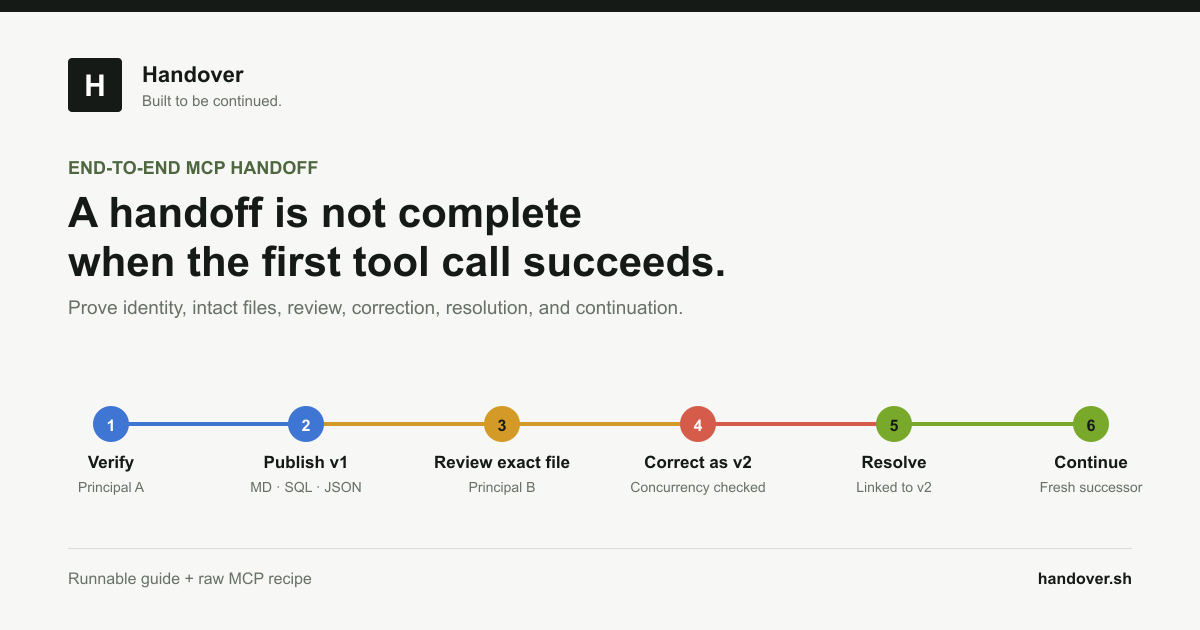
Use separate publisher and successor OAuth sessions or named service agents. Codex Agent A creates a private Markdown handoff with a unique marker and reads it back. A fresh Codex profile receives only the stable link or marker, verifies its own identity, retrieves the exact source artifact, and appends a revision using the current expected revision. To offboard an interactive profile, run `codex mcp logout handover`, remove the server, and confirm the grant and local entry are unusable. Revoke unattended service agents in Handover before removing their local configuration.
- Do not give the successor Agent A's conversation transcript.
- Require artifact retrieval instead of generated recollection.
- Test missing, denied, read-only, stale, and revoked paths.
- Keep the first write and consequential tools approval-gated.
Primary references