What does Cline MCP server setup require?
Cline supports local STDIO servers and hosted remote servers in its IDE extensions and CLI. A shared context service should use the recommended Streamable HTTP transport, an HTTPS endpoint, and a distinct credential for the Cline installation. Cline's official quick start says to add the server, configure credentials, verify that tools appear, and test a tool call; an identity-aware service should extend that check through authenticated read-back.
- Cline IDE: open MCP Servers, use Remote Servers, and choose Streamable HTTP.
- Cline CLI: use the interactive MCP wizard or prefill it with `cline mcp install`.
- Handover endpoint: `https://handover.sh/api/mcp?profile=core`.
- Authentication: one named, scoped service agent per Cline installation.
- Verification: identity, workspace, scopes, protected read, approved write, and read-back.
How do you add Handover with the Cline CLI?
Install Cline CLI, authenticate Cline itself, then open its MCP installation wizard with Handover's name, transport, and URL prefilled. The wizard requires an interactive terminal because it asks for authentication details before saving. Choose Static headers and enter the service-agent credential privately rather than placing it in the command or shell history.
npm install -g cline
cline auth

cline mcp install handover   --transport http   "https://handover.sh/api/mcp?profile=core"

# Confirm the saved server and enabled state
cline config mcp
cline config mcp --json
How do you configure Handover in the Cline IDE?
Open Cline's MCP Servers panel, select Remote Servers, name the server `handover`, paste the full endpoint, and choose Streamable HTTP. Add `Authorization` as a Static header through Cline's private settings. If you edit the extension's private MCP JSON directly, set `type` explicitly because Cline's documentation says that omitting it falls back to legacy SSE.
{
  "mcpServers": {
    "handover": {
      "type": "streamableHttp",
      "url": "https://handover.sh/api/mcp?profile=core",
      "headers": {
        "Authorization": "Bearer <SERVICE_AGENT_TOKEN>"
      },
      "disabled": false,
      "autoApprove": []
    }
  }
}
Which credential should Cline use?
Use a dedicated Handover service agent for unattended or shared Cline work. Give it a human-readable name, one owner, the smallest workspace grants and scopes it needs, and an expiry or rotation date. Do not copy a person's Google session or reuse one credential across Cline, Cursor, Claude Code, and scheduled agents: that destroys attribution and independent revocation.
- Keep the real value in Cline's private settings, not a project file.
- Never paste the credential into chat, a handoff, source control, or screenshots.
- Leave write and review tools approval-gated while validating the integration.
- Create separate identities for publisher and successor when testing a handoff.
How do you verify the Cline MCP connection?
Start with protected reads. Ask Cline to call `handover.whoami` and show the server-resolved principal, company, workspace, role, and scopes. Then search, open one known handoff, and read one exact artifact. Only after those boundaries match should a user approve a disposable private write and require Cline to retrieve the canonical result.
1. handover.whoami
2. handover.search
3. handover.get
4. handover.read_artifact
5. Ask before the first write
6. handover.create
7. handover.get
8. handover.read_artifact

PASS = expected identity + expected tenant + exact read-back
FAIL = visible server or tools without those checks
How do you test context continuity from Cline?
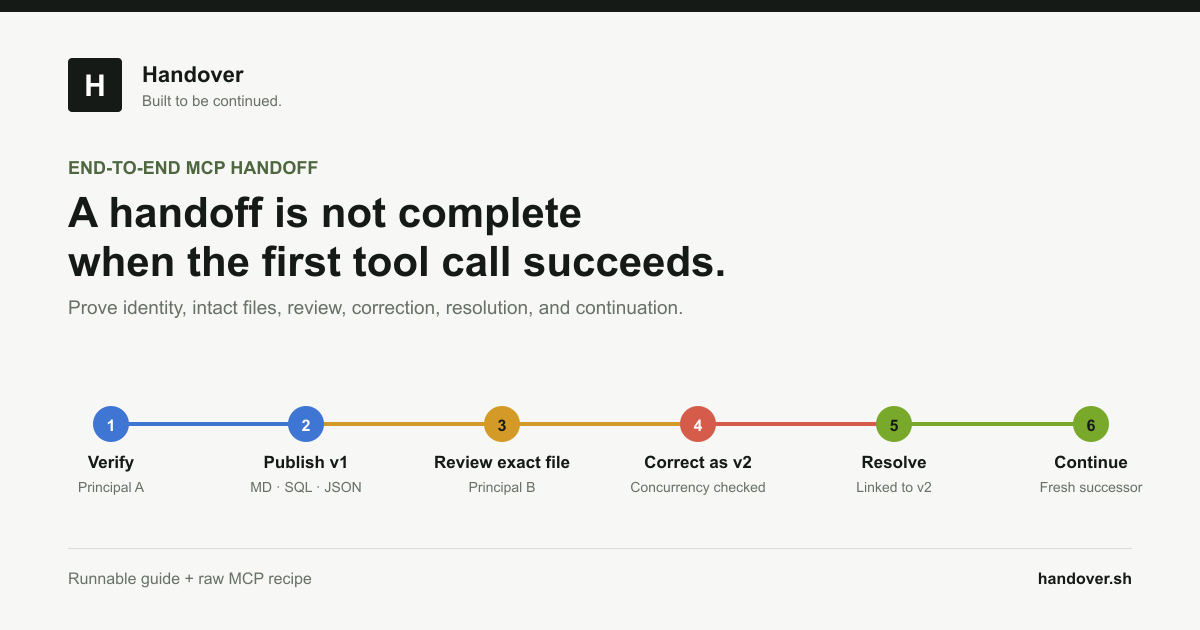
Use two separately authenticated agents and a unique marker. Cline Agent A publishes a private Markdown artifact and reads it back. A fresh Agent B receives only the stable handoff link or marker, not Agent A's chat, then searches, reads the exact artifact, states one reproducible fact, and appends a revision using the current expected revision. A human should be able to see both authenticated authors in history.
- The second agent must not receive the first conversation transcript.
- The exact source artifact must be read, not only a generated summary.
- The successor must preserve constraints and use optimistic concurrency.
- A denied identity, a stale revision, and a revoked credential must remain rejected.
How do you troubleshoot Cline MCP errors?
Treat connection, authentication, authorization, and continuity as separate checkpoints. A transport error usually means the URL or transport is wrong. A `401` means the credential is missing, malformed, expired, or revoked. A `403` means the resolved identity lacks the requested workspace or scope. Empty search can be correct for a new isolated workspace. A stale-revision error requires a fresh read before retrying.
Transport or 404  -> verify the full /api/mcp?profile=core URL
401               -> re-enter or rotate the private Static header
403               -> inspect whoami, workspace grants, role, and scopes
Empty search      -> verify tenant boundary and search a known marker
Missing tools     -> restart the server and refresh Cline's tool list
Stale revision    -> read current state, reconcile, then retry explicitly
How do you remove Cline's access?
Disable or remove the Handover server from Cline, then revoke the named service agent in Handover. Test the old credential against `handover.whoami` and require failure. Removing only the local configuration is not complete offboarding because the remote credential may still be valid.
Primary references